McDonald's
₩50,000 Gift CardUS$40.80 eGift
eGift
US$40.80
eGift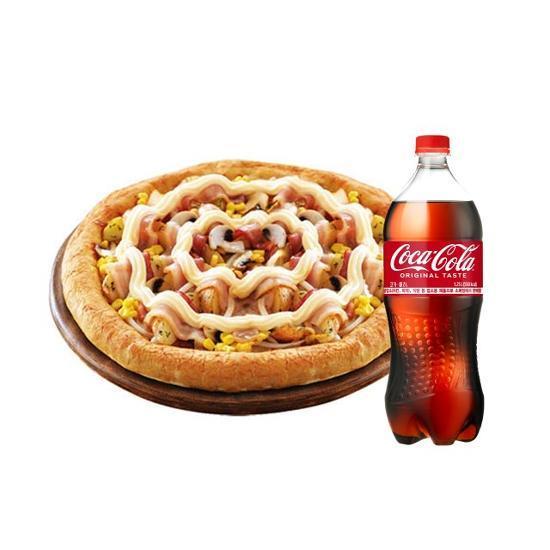 eGift
eGift□Online (website/app) only (not valid for in-store or phone orders)
□How to Order
[Change Menu]
-Log in to the Domino's Pizza website (web.dominos.co.kr) > Click Order with E-Coupon [Select Menu First] > Add your menu to the cart (pizza required) > Enter delivery info or select a pickup store > At checkout, select Apply Discount [Enter gift card/shopping mall coupon number] > Select E-Coupon (shopping mall coupon) > Pay after the discount is applied (additional payment required if the amount exceeds the coupon)
-Up to 1 E-Coupon per order (place a separate order to add items)
-When changing the menu with this coupon, at least 1 pizza must be selected (side dishes alone cannot be ordered)
-When changing the menu with this coupon, any amount exceeding the coupon value must be paid (orders below the voucher amount are not allowed)
[Keep Menu]
-Log in to the Domino's Pizza website (web.dominos.co.kr) > Order with E-Coupon [Enter Coupon Number First] > Enter the coupon number and search > Check product info and click [Order] > Enter delivery info or select a pickup store, then [Pay & Complete Order]
-Up to 4 E-Coupons per order (no additional items)
□Notes
-Non-members must sign up before use
-Delivery may not be available in some areas depending on store conditions
-Domino's Pizza E-Coupons can be used for online orders via the app/website (delivery and pickup available; in-store/phone orders not available)
-Free delivery if the payment after discount is ₩49,000 or more; a separate delivery fee may apply if under ₩49,000
-Cannot be combined with other partner discounts / event discounts / other discounts
-If the product is discontinued, a 100% refund or an exchange for another pizza of the same price is available (refunds are processed according to the refund policy of the place where the coupon was purchased)